Announcing a New Library Search Interface
By Gretchen Neidhardt
Starting May 26, 2026, searching Galter Library’s collections will look a little different. We're transitioning to a new search interface, which should offer a more streamlined and accessible search experience.We wanted to highlight some of the features of our library search that are both new and improved in this new interface.
Filters
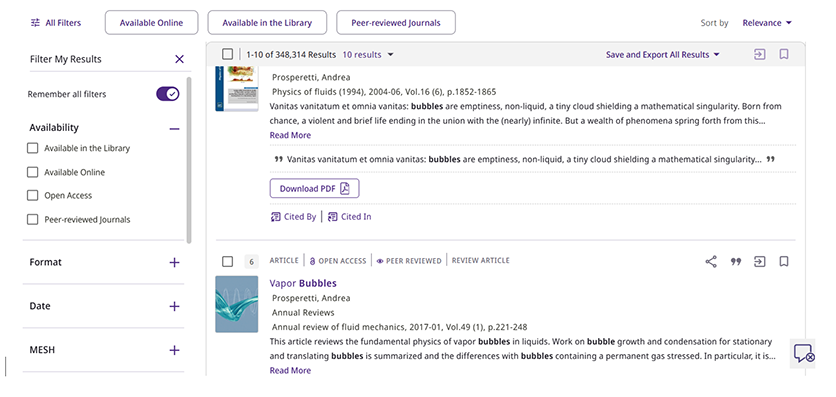
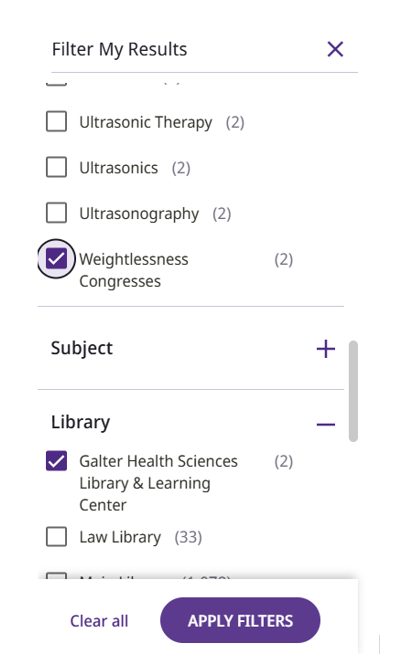
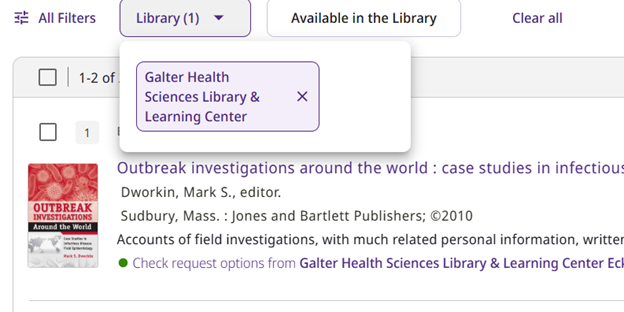
The filters you can use to refine your search are the same, but their behavior and visualization have changed slightly. You can select from any filter(s) and choose Apply Filters. You can elect to have these filters remembered for the rest of your searches this session. You can press the “X” to collapse your filter bar so you have more room to explore results. You can remove filters one at a time from the top of your screen, whether or not you’ve decided to close the filter bar.
Additional Information for People and Places
If an entity has a Wikipedia or Library of Congress entry, they’ll appear as a search result, and as a sidebar in item records in which they are mentioned.
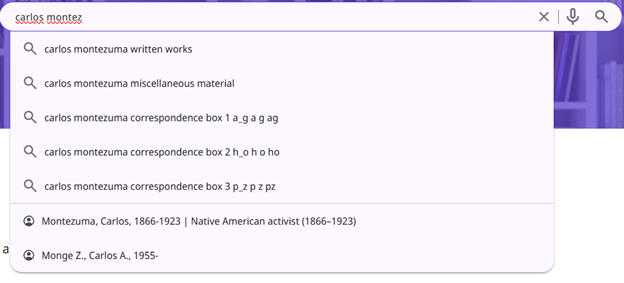
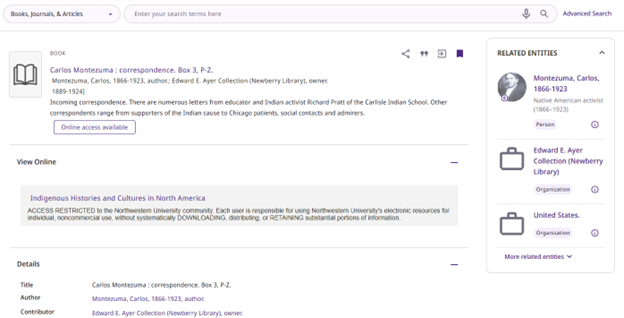
This links to extra information from these external sources about these people and places, and if you click on an entity, it will tell you what items we have in the library that are either by or about that specific entity. View the entry on Carlos Montezuma.
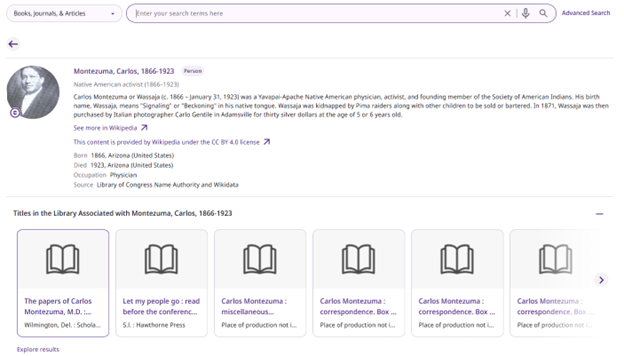
If you notice errors in any of this information, please contact us.
Get It is now called Requests
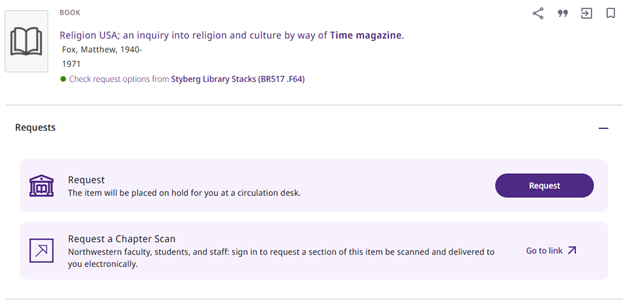
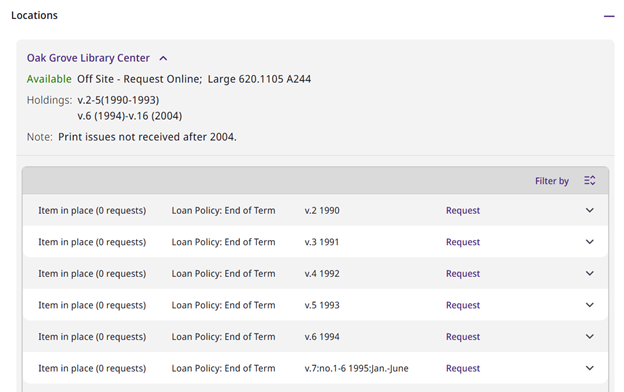
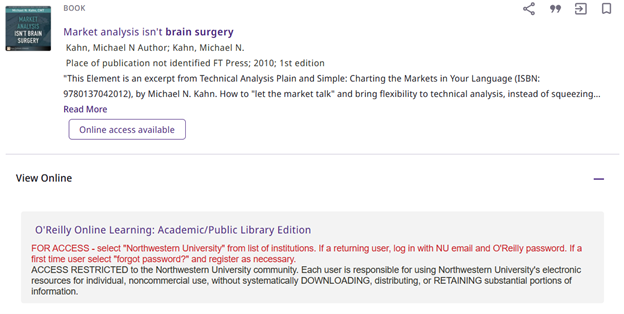
Once you are signed in, most items will tell you what your access options are in the “Requests” section. If it is a physical item, it will provide a request button to order the book to come to your preferred circulation desk, or if the book is not available, you’ll get a link to a pre-filled Interlibrary Loan form to request the book from another institution. You can also always request a chapter scan from a larger book. If the item is a journal or magazine and has multiple volumes, you can request specific volumes under the “Locations” section. If the item is electronic, you either can view it using the quick access buttons right under the title, or you can click through to one of our databases under the “View Online” section.
Citation Trails
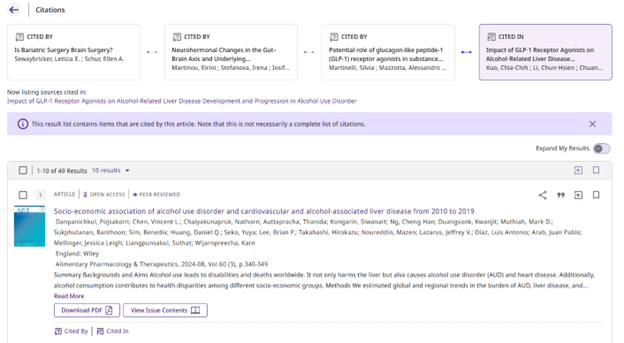
The citation trail is not a new feature (see the “cited by” and “cited in” buttons at the botton of each search result), but now there is the ability to visualize your citation trail at the top of your search page. We hope this makes your citation journeys clearer, and you can always take advantage of saving or exporting entire “cited by” and “cited in” results to analyze or explore more in depth.
Contact Us
We hope this new user interface makes your research experience more pleasant and productive. If you have any comments, questions, or issues, please contact us. We welcome your feedback!